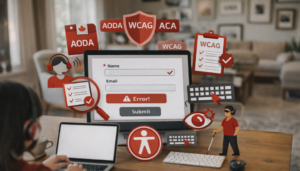
A web accessibility audit is the first step toward ensuring your website is usable by everyone—including people with disabilities. By identifying barriers that prevent users from navigating or interacting with your site, you can take proactive steps to meet WCAG and AODAstandards.
In this guide, we explain what an accessibility audit is, why it’s important, and how to perform one using a structured, step-by-step approach.
What Is a Website Accessibility Audit?
A website accessibility audit is a comprehensive evaluation of a website to determine whether it meets established accessibility standards, primarily the Web Content Accessibility Guidelines (WCAG).
It involves assessing design, structure, navigation, and content to ensure that individuals who use screen readers, keyboard navigation, or other assistive technologies can effectively interact with the site.
Audits may focus on:
- Perceivability (Can users detect content?)
- Operability (Can users navigate and use interface elements?)
- Understandability (Is content clear and intuitive?)
- Robustness (Does the site work across all devices and assistive tech?)
Why Is a Web Accessibility Audit Required?
Conducting a web accessibility audit is essential for several reasons:
- Legal compliance: Required under regulations such as AODA, ACA, and Section 508
- Risk reduction: Avoids lawsuits, human rights complaints, and financial penalties
- Expanded audience reach: Improves usability for 20% of the population living with a disability
- Better user experience and SEO: Accessible websites are easier to navigate and rank higher in search engines
- Corporate social responsibility: Demonstrates your commitment to inclusion and equitable access
An audit helps you find issues before users do, making it a proactive approach to accessibility.
How to Do Web Accessibility Audits: Step-by-Step Process
Step 1: Understand the Standards
Start by familiarizing yourself with the WCAG 2.1 or 2.2 guidelines. These set the baseline for what makes a website accessible, from headings and alt text to contrast and keyboard support.
Step 2: Select the Right Tools
Use a combination of automated tools and manual methods. Some recommended tools include:
- WAVE
- axe DevTools
- Google Lighthouse
- Siteimprove
These tools help catch basic errors like missing alt text or contrast issues.
Step 3: Manual Testing
Automated scans only find ~30% of issues. Manual testing includes:
- Navigating the site using keyboard-only
- Testing forms, buttons, and dropdowns for usability
- Using screen readers like NVDA, JAWS, or VoiceOver
Step 4: Identify Issues
Document all accessibility issues you find, categorize them by severity (e.g., critical, moderate, low), and map them to specific WCAG success criteria.
Step 5: Create a Remediation Plan
Work with your developers, designers, and content creators to fix the issues. Include timelines and testing milestones.
Step 6: Re-test and Validate
After changes are made, run the audit again—both automated and manual—to verify compliance. Validation may also include VPAT documentation or an accessibility statement.
How Accessibility Partners Can Help Achieve Full Digital Accessibility Compliance
At Accessibility Partners, we offer comprehensive digital accessibility audit services that include:
- Manual and automated WCAG 2.1/2.2 testing
- Mobile and desktop evaluation
- Testing with screen readers and real users
- PDF and document accessibility checks
- Remediation support and developer training
- Final validation and certification of compliance
We serve clients across Canada and the U.S., helping organizations of all sizes comply with AODA, ACA, and Section 508.
Contact us today for a tailored accessibility audit and compliance plan.
Conclusion
Performing a web accessibility audit is a key step in creating an inclusive, legally compliant, and user-friendly website. From understanding standards to conducting manual and automated testing, the audit process helps uncover barriers and guides your path to accessibility.
By staying proactive, your organization can reduce risk, reach more users, and build a digital experience that works for everyone.
FAQs About How to Do an Accessibility Audit
Understand WCAG, run automated and manual tests, identify issues, fix them, and retest for compliance.
Tools include WAVE, axe DevTools, Google Lighthouse, NVDA, and Siteimprove.
We recommend auditing your site annually, or after major design or content changes.
Missing alt text, poor color contrast, inaccessible forms, keyboard traps, and missing headings.
WCAG (Web Content Accessibility Guidelines) defines the international standards for accessible web content. It’s the foundation for most accessibility laws.
While basic checks can be done in-house, a professional audit ensures comprehensive coverage and accurate mapping to legal requirements.
They improve usability, legal compliance, SEO, and expand access for a larger audience—including users with disabilities.