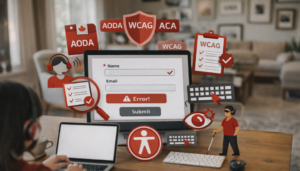
Navigating the complex world of accessibility compliance can be a daunting task for any company. Consider accessibility laws like the Accessibility for Ontarians with Disabilities Act (AODA), the Accessibility for Manitobans Act (AMA), the Accessible Canada Act (ACA), the Americans with Disabilities Act (ADA), and standards such as the Web Content Accessibility Guidelines (WCAG), all of which are evolving constantly. This means that staying compliant requires a proactive approach.
Despite the complexities of accessibility compliance, having an effective auditing process is essential to not only meet legal requirements but to ensure inclusivity for all users. In this blog post, we’ll walk through the key steps to develop a robust compliance auditing process.
Understanding Website Accessibility Compliance
Before we dive into the auditing process, it’s crucial to understand the basics of accessibility compliance. This knowledge will guide your audit process and ensure that your organization addresses all necessary compliance areas. So, what do we mean by accessibility compliance? What this refers to is the process of making sure your website complies with accessibility standards like WCAG.
Before we dive into the auditing process, it’s crucial to understand the basics of accessibility compliance. This knowledge will guide your audit process and ensure that your organization addresses all necessary compliance areas. So, what do we mean by accessibility compliance? What this refers to is the process of making sure your website complies with accessibility standards like WCAG.
Key Elements to Developing Your Compliance Audit Process
Step 1: Establishing Your Audit Team
The first step in creating an effective audit process is assembling the right team. This team should consist of people with a diversity of experiences relevant to web accessibility. This might include legal advisors with knowledge of accessibility legislation, IT professionals and digital accessibility experts, and — perhaps most importantly — people with disabilities who can provide lived experiences on barriers and accessibility needs.
Step 2: Defining Scope and Objectives
Determine the scope of your audit. Will it cover your entire digital presence or focus on specific elements like your website, mobile apps, or digital documents? It’s also important to define the specific objective of your audit. Although the overall goal is greater accessibility, this could range from AODA compliance to improving the overall user experience for people with disabilities.
Step 3: Conducting the Audit
When conducting your audit, look into different components like website navigation, content readability, and compatibility with assistive technologies. It’s also important to use a combination of automated tools and manual testing to evaluate your website and digital platforms. Why? Because while automated tools can quickly identify technical issues, they might miss out on important barriers. To fill the gap, manually test your assets as well and involve users with disabilities in the process. For details on the testing process, refer to our previous blog post.
Step 4: Analyzing Findings and Identifying Issues
Following your audit comes the task of analyzing your findings to identify any accessibility issue. Document these barriers in detail, noting their impact on users with disabilities. You’ll also want to compare these against WCAG and identify how these issues deviate from compliance . In some cases, you can deploy quick fixes such as adding alternative text on images, adjusting the colour contrast, or including the correct heading hierarchy. In other cases, you’ll want to develop an action plan and involve users with disabilities to test your solutions.
Step 5: Creating a Remediation Plan
Based on your audit’s findings and how they stack up against accessibility standards, develop a remediation plan. This plan should prioritize issues based on their severity and impact on users. Include clear timelines and responsibilities for addressing each issue.
Step 6: Implementing Changes and Monitoring Progress
Now you can start implementing the necessary changes, according to your remediation plan. Ensure continuous monitoring, testing with users, and regular updates to track the progress of these implementations.
Step 7: Training and Awareness
Throughout the process, it’s crucial to provide accessibility training and education to your team. Regular training sessions will help embed accessibility considerations into your organization’s culture and practices. That way, everyone across the organization is on the same page when it comes to maintaining accessibility standards
With 1.6 billion people worldwide having a disability, according to the World Health Organization, web accessibility has never been more important. e number of people with disabilities is expected to grow, which means that we can expect more guidelines, standards and legislation that we need to stay on top of to meet evolving accessibility requirements. This starts with developing an effective compliance audit process to ensure that you mean those guidelines, and which is possible by taking it step-by-step and considering these key elements as a starting point.
However, it’s also worth noting that with web accessibility guidelines constantly evolving, the compliance process doesn’t stop as you should be regularly auditing your digital assets. But we can help. Connect with Accessibility Partners Canada for insights, guidance and support as you develop your auditing process to comply with accessibility guidelines.